

10. Advanced: Developer webhooks
Bridge exposes a developer webhook system that lets technical teams extend the integration with custom automations. This section is intended for developers and technical administrators.
How to configure webhooks
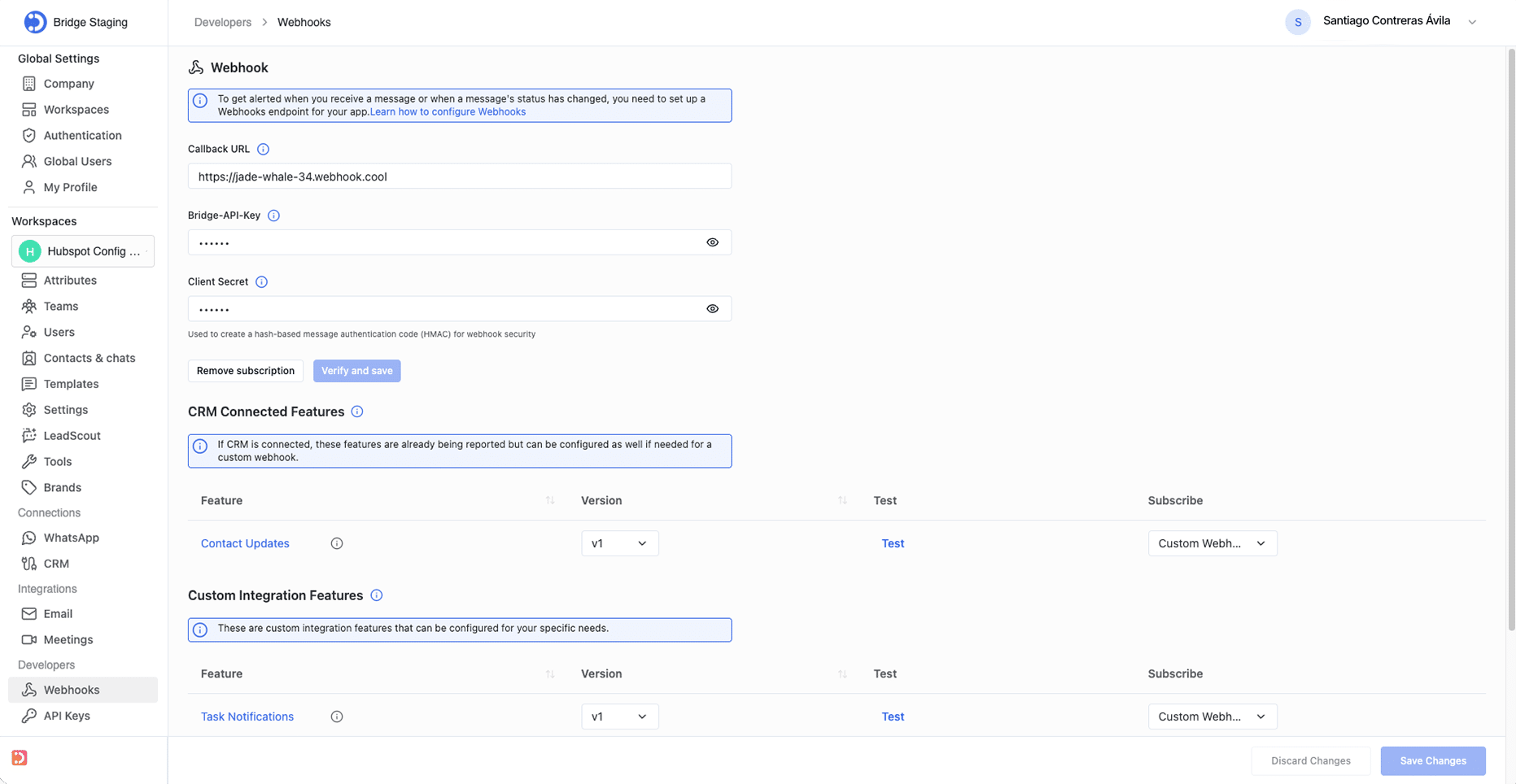
Webhooks are configured under Developers > Webhooks in the Bridge admin console. The following fields are required:
- Callback URL: the endpoint that will receive webhook events (e.g., https://your-service.example.com/webhook).
- Bridge-API-Key: API authentication header used to authenticate webhook subscription requests.
- Client Secret: used to create an HMAC signature to verify webhook payload integrity and prevent spoofing.
Available webhook features
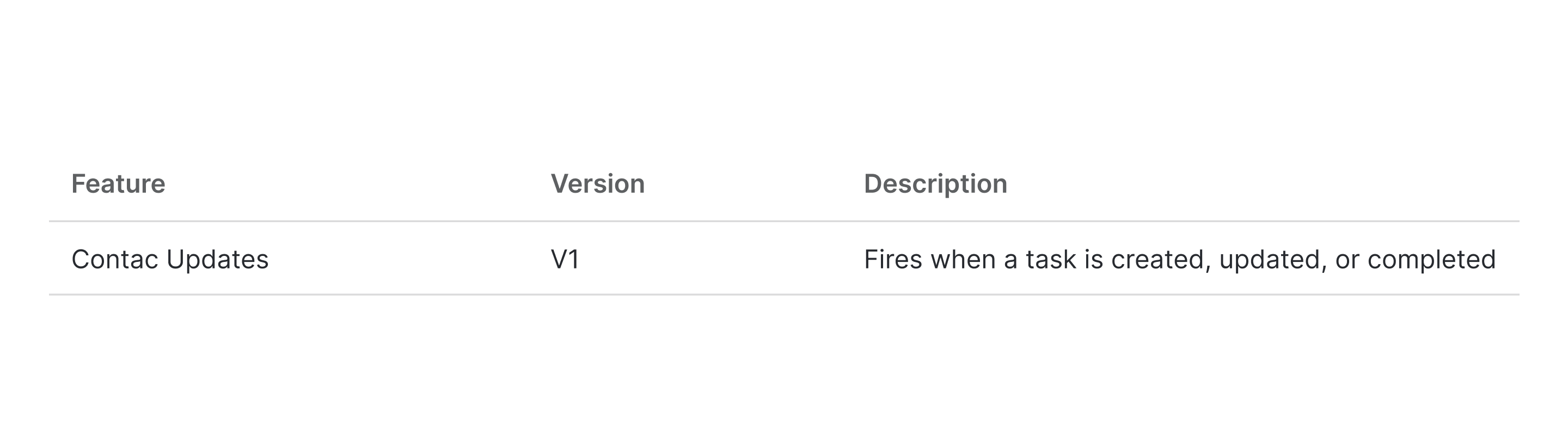
CRM Connected Features
These features are automatically reported when a CRM is connected. They can also be configured for a custom webhook if you need to route them elsewhere.
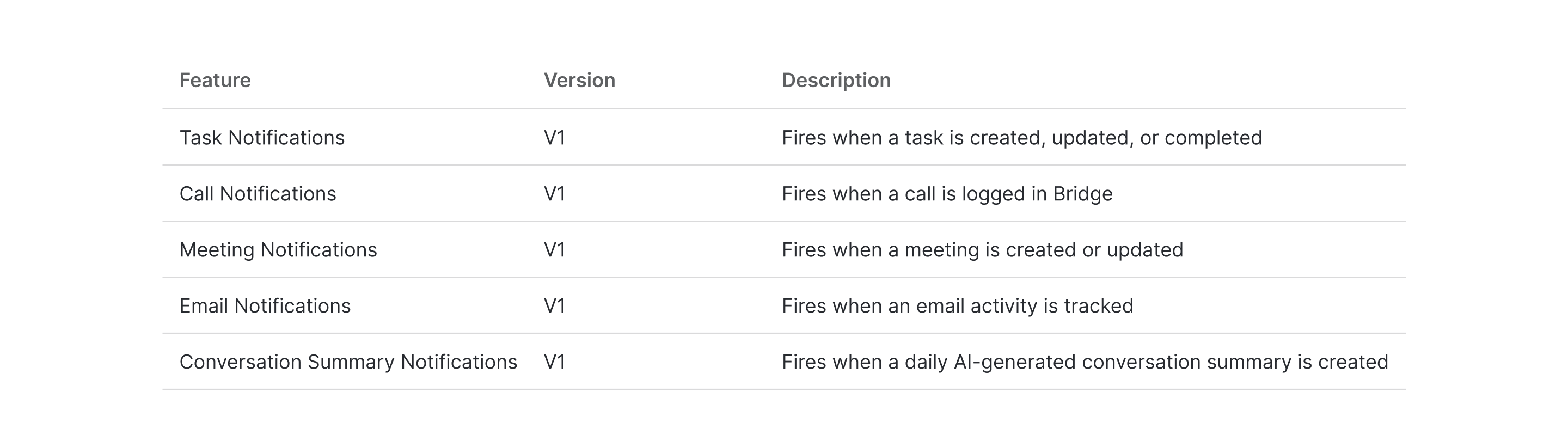
Custom Integration Features
These are opt-in webhooks that let you build custom automations for specific event types.
Security
Every webhook payload is signed with an HMAC signature using the Client Secret. Your endpoint should verify the signature before processing the payload to ensure it originated from Bridge.
Testing
Each configured feature has a Test button in the Webhooks configuration screen. Use it to send a sample payload to your endpoint and verify your integration is working correctly.